Hey fellow bloggers! Let's chat about something super important for getting your amazing content seen: on-page SEO. If you're pouring your heart and soul into your blog posts, only for them to languish in the search engine abyss, you're probably nodding along right now. I've been there! It feels like shouting into the void, doesn't it?
But here's the good news: taking control of your on-page SEO is totally within your reach. It's not some dark magic reserved for tech wizards. It’s about making smart choices for your content and your readers. Think of it as tidying up your blog post so search engines like Google can easily understand what you're talking about and why someone would love to read it.
This isn't about gaming the system; it's about making your content accessible and valuable. When you nail your on-page SEO, you’re essentially sending a clear signal to Google: "Hey, this post is fantastic, relevant, and exactly what people are looking for!" The result? More eyeballs on your brilliant work, more traffic, and a happier, more engaged audience.
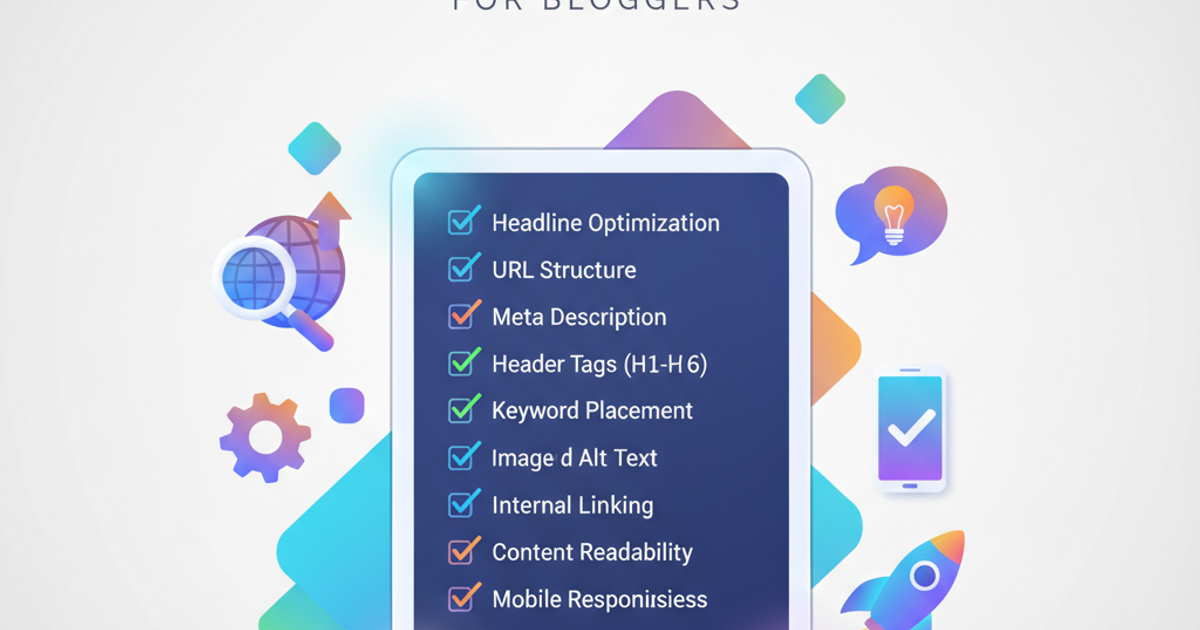
So, grab a coffee (or your beverage of choice), and let's dive into the nitty-gritty. I've put together a comprehensive on-page SEO checklist for bloggers that you can use for every single post. No more guesswork, just pure, actionable steps.
Keyword Research & Targeting: The Foundation of Everything
Before you even type a single word, you need to know what people are actually searching for. This is where keyword research comes in. It’s the bedrock upon which all your other on-page efforts will be built. Skipping this step is like building a house without a blueprint – it’s just not going to stand strong.
1. Identify Your Primary Keyword
What’s the main topic of your post? If you were to describe it in just one phrase, what would it be? This is your primary keyword. For instance, if you're writing about sustainable travel tips, your primary keyword might be "sustainable travel tips" or "eco-friendly travel." Aim for a keyword that has a decent search volume but isn't so competitive that you have no chance of ranking.
2. Find Related Secondary Keywords
Think about all the different ways people might search for information related to your primary topic. These are your secondary keywords. If your primary is "sustainable travel tips," secondary keywords could include "eco-tourism," "responsible travel," "low-impact vacations," or "how to travel green."
Tools like Google Keyword Planner, SEMrush, Ahrefs, or even just the "People also ask" and "Related searches" sections on Google can be goldmines for finding these.
3. Understand Search Intent
This is crucial. Why is someone searching for your keyword? Are they looking to buy something (transactional), learn something (informational), or find a specific website (navigational)? Most blog posts target informational intent. Make sure your content directly answers the question or solves the problem implied by the search term.
4. Map Keywords to Your Content Idea
Does your planned blog post genuinely fulfill the search intent for your chosen keywords? If someone searches for "best vegan restaurants in NYC" (transactional/local), a post about "why veganism is healthy" (informational) won't cut it. Ensure your content aligns perfectly.
Optimizing Your Content: Making it Readable and Discoverable
Once you've got your keywords sorted, it's time to weave them into your content strategically. This isn't about stuffing keywords everywhere; it's about using them naturally and logically where they make sense.
5. Craft a Compelling Title Tag
This is the clickable headline that appears in search results. It should include your primary keyword, ideally near the beginning. Make it intriguing and clearly state what the post is about. Keep it under 60 characters to avoid truncation.
Example: "Sustainable Travel Tips: Explore the World Responsibly"
6. Write a Catchy Meta Description
This is the short snippet under the title tag in search results. While not a direct ranking factor, it significantly impacts click-through rates (CTR). Include your primary keyword and a clear call-to-action or benefit. Make it enticing!
Example: "Discover practical and actionable sustainable travel tips to reduce your impact and explore the world responsibly. Your eco-friendly adventure starts here!"
7. Optimize Your URL Slug
Keep your URL short, descriptive, and include your primary keyword. Hyphens should separate words.
Good Example: yourblog.com/sustainable-travel-tips
Bad Example: yourblog.com/post123?id=456 or yourblog.com/all-about-going-green-on-vacation-this-is-a-long-one
8. Use Your Primary Keyword in the Introduction
Include your main keyword within the first 100 words of your blog post. This helps search engines (and readers!) quickly understand the topic.
9. Strategic Keyword Placement Throughout
Sprinkle your primary and secondary keywords naturally throughout the body of your post. Don't force it! Read it aloud – does it sound natural? If it sounds like a robot wrote it, you've probably overdone it.
You Might Also Like
- Unlock Blog Growth: Your Best Keyword Research Strategyin Marketing & SEO
- Blog SEO 2026: Your Ultimate Optimization Guidein Marketing & SEO
- Mastering Zero-Click Searches: Your Ultimate Blog Strategyin Marketing & SEO
10. Craft Reader-Friendly Headings (H2, H3, etc.)
Use subheadings (H2s, H3s) to break up your content and make it scannable. Incorporate your keywords naturally within these headings when relevant. This helps with both user experience and on-page SEO for blog articles.
11. Write High-Quality, In-Depth Content
This is non-negotiable. Google prioritizes content that is comprehensive, accurate, and provides real value to the reader. Aim for longer, more detailed posts that fully cover a topic. Think about answering every possible question a reader might have.
12. Readability Matters!
Use short sentences and paragraphs. Employ bullet points and numbered lists. Use bold text for emphasis. Break up long blocks of text. Tools like the Hemingway App or Grammarly can help you assess and improve your content's readability score. A post that’s easy to read keeps people engaged longer.
13. Image Optimization
- File Names: Use descriptive file names with keywords (e.g.,
sustainable-suitcase-tips.jpginstead ofIMG_0023.jpg). - Alt Text: Write descriptive alt text for every image. This helps search engines understand the image content and is crucial for accessibility (screen readers). Include keywords naturally if they fit.
- File Size: Compress your images to ensure fast loading times. Large images can significantly slow down your page.
14. Internal Linking
Link to other relevant posts on your blog. This helps distribute link equity (page authority) across your site and keeps readers engaged by offering more related content. Use descriptive anchor text (the clickable words).
Example Anchor Text: Instead of "click here," use "learn more about budget travel hacks."
15. External Linking
Link out to authoritative, relevant external sources. This can add credibility to your content and shows search engines you're referencing reliable information. Just don't overdo it, and make sure these links open in a new tab so you don't send your readers away from your site.
16. Call to Action (CTA)
What do you want readers to do after reading your post? Leave a comment? Share the post? Sign up for your newsletter? Include a clear CTA.
Technical On-Page SEO: The Behind-the-Scenes Magic
While much of on-page SEO is about the content itself, there are a few technical elements that are essential for optimal performance.
17. Mobile-Friendliness
Is your blog responsive and easy to navigate on mobile devices? Google uses mobile-first indexing, meaning it primarily looks at the mobile version of your site for ranking. Test your site using Google's Mobile-Friendly Test tool.
18. Page Load Speed
Slow-loading pages frustrate users and hurt rankings. Optimize images, leverage browser caching, and minimize code where possible. Tools like Google PageSpeed Insights can identify areas for improvement.
19. Schema Markup (Advanced)
Schema markup is code that helps search engines understand the context of your content better (e.g., is it a recipe, an event, an article?). While not strictly required for basic on-page SEO checklist for bloggers, implementing relevant schema can help you gain rich snippets in search results, boosting visibility.
20. User Experience (UX)
Overall, how easy and pleasant is it for a user to interact with your blog? This includes site navigation, readability, the absence of intrusive ads, and the general flow of information. A good UX keeps visitors on your site longer and reduces bounce rates.
Putting the Checklist to Work
This might seem like a lot, but trust me, it becomes second nature with practice. When I first started blogging, I barely thought about SEO. My content was okay, but it wasn't reaching the audience it deserved. Implementing an on-page SEO checklist was a game-changer. I started seeing my traffic steadily climb, and more importantly, I was connecting with readers who were genuinely interested in what I had to say.
Treat this checklist as your guide. For every new blog post, run through these points. You don't have to be perfect overnight, but consistent effort will yield significant results. Remember, the goal is to create valuable, user-friendly content that search engines can easily find and recommend.
Happy blogging!
BlogMe Team
Expert insights and analysis to keep you informed and ahead of the curve.